Most likely the symbolic link /etc/resolv.conf -> ../run/resolvconf/resolv.conf is missing on your system. To restore it, do the following in a terminal.
sudo apt-get install resolvconf
sudo dpkg-reconfigure resolvconf
If you want to use 8.8.8.8 as your nameserver then set up either ifup or NetworkManager to use that nameserver address for the interface(s) that it brings up.
If you use ifup then edit /etc/network/interfaces and, in the stanza for the interface in question, add the line "dns-nameservers 8.8.8.8"; then ifdown the interface and ifup it again.
If you use NetworkManager then open the connection editor and add 8.8.8.8 as an additional nameserver address (network indicator | Edit Connections... | Wireless | myconnection | Edit... | IPv4 Settings | Additional DNS servers).
sudo apt-get install resolvconf
sudo dpkg-reconfigure resolvconf
If you want to use 8.8.8.8 as your nameserver then set up either ifup or NetworkManager to use that nameserver address for the interface(s) that it brings up.
If you use ifup then edit /etc/network/interfaces and, in the stanza for the interface in question, add the line "dns-nameservers 8.8.8.8"; then ifdown the interface and ifup it again.
If you use NetworkManager then open the connection editor and add 8.8.8.8 as an additional nameserver address (network indicator | Edit Connections... | Wireless | myconnection | Edit... | IPv4 Settings | Additional DNS servers).

 PDANet 3.50
– PDANet is a useful internet tethering application targeted for
Android devices, well it can easily allow speeds upto 35mbps through USB
and will allow you to save your tethering monthly plan. So it add zero
latency to your connection and it even connects as fast as your device
connects. So it even comes bundled with SMS Client that lets you send
and receive messages from your pc.
PDANet 3.50
– PDANet is a useful internet tethering application targeted for
Android devices, well it can easily allow speeds upto 35mbps through USB
and will allow you to save your tethering monthly plan. So it add zero
latency to your connection and it even connects as fast as your device
connects. So it even comes bundled with SMS Client that lets you send
and receive messages from your pc. 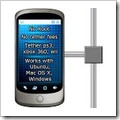 Easy tether Lite
– is another useful internet tethering application that can be used as
same as the PDANet application, it allows you to tether your device
internet connection on phone, tablet, computer or anywhere, almost to
any Wi-Fi enabled device. This is available in two versions free and
paid but the free version can work perfect for your normal use.
Easy tether Lite
– is another useful internet tethering application that can be used as
same as the PDANet application, it allows you to tether your device
internet connection on phone, tablet, computer or anywhere, almost to
any Wi-Fi enabled device. This is available in two versions free and
paid but the free version can work perfect for your normal use.  Barnacle Wifi Tether
– this is considered as the best wi-fi tethering application, it works
perfectly and is free + open source. So no matter how much you use you
are not going to be get charged for it, now its interface is also cool,
so you will like it. You can even see how much data has transferred and
how much you have received. So overall it's a nice application for
tethering your connection to any device, X-Box, Computer, Tablets, Linux
anything.
Barnacle Wifi Tether
– this is considered as the best wi-fi tethering application, it works
perfectly and is free + open source. So no matter how much you use you
are not going to be get charged for it, now its interface is also cool,
so you will like it. You can even see how much data has transferred and
how much you have received. So overall it's a nice application for
tethering your connection to any device, X-Box, Computer, Tablets, Linux
anything.

 Torrentz.com
– is on number 1 in this list, well this is recommended as it has a
good search algorithms. So if you ever search for any file name in
Google with torrent word added to it this will surely top the list,
that's because it contains links to other torrent websites with source
file link, so you can download from that websites easily.
Torrentz.com
– is on number 1 in this list, well this is recommended as it has a
good search algorithms. So if you ever search for any file name in
Google with torrent word added to it this will surely top the list,
that's because it contains links to other torrent websites with source
file link, so you can download from that websites easily.  ThePirateBay.se
– well I do not have to give brief explanation about this website, as
it is the most popular sites with direct traffic, so when ever people
need something they just pump in the sitename and get their download.
Well some links does not have that Download Torrent link else you need
to get through that Magnet Link but that's not a big problem and it
works great.
ThePirateBay.se
– well I do not have to give brief explanation about this website, as
it is the most popular sites with direct traffic, so when ever people
need something they just pump in the sitename and get their download.
Well some links does not have that Download Torrent link else you need
to get through that Magnet Link but that's not a big problem and it
works great.  Mininova.org
– mininova is another big torrent search engine with reputed safe
torrents. Well its not as popular as above two torrent sites and even it
just has an alexa rank of 11,000 something in comparison to
ThePirateBay and other with 85 rank worlwide simple awesome. But still
it's a good place for some awesome downloads.
Mininova.org
– mininova is another big torrent search engine with reputed safe
torrents. Well its not as popular as above two torrent sites and even it
just has an alexa rank of 11,000 something in comparison to
ThePirateBay and other with 85 rank worlwide simple awesome. But still
it's a good place for some awesome downloads.  Kat.ph
– short for KickAssTorrents is simply awesome and one of my best
website for downloading torrents. Well it has a revolutionary design as
compared to other torrent websites, simple awesome the movies section
contains different tabs for every variant to download the perfect movie
in perfect size. So I think it's a good website.
Kat.ph
– short for KickAssTorrents is simply awesome and one of my best
website for downloading torrents. Well it has a revolutionary design as
compared to other torrent websites, simple awesome the movies section
contains different tabs for every variant to download the perfect movie
in perfect size. So I think it's a good website.  ExtraTorrent.com
– is basically another awesome torrent search engine, well according to
me its mostly known for some adult stuff, so overall it's a good search
engine and people do prefer due to its overall popularity. So Extra
Torrent can also be used to download movies, games, songs etc.
ExtraTorrent.com
– is basically another awesome torrent search engine, well according to
me its mostly known for some adult stuff, so overall it's a good search
engine and people do prefer due to its overall popularity. So Extra
Torrent can also be used to download movies, games, songs etc.  Open Control Panel and click on Network and Sharing Center.
  connected to and that will popup the dialog with many options.
  the
the  Now
when you will add above DNS Server number it will look something like
right image, so now this is it just click on Apply and OK.
Now
when you will add above DNS Server number it will look something like
right image, so now this is it just click on Apply and OK. 
